





How to Choose a gaming monitor? Well, this is indeed a perplexing issue that requires careful consideration. Model, resolution, size, smoothness, and everything you need to compare. But how?
Don't worry! We've analyzed the market to bring you the top considerations and questions to ask before making your purchase, ensuring you find the ideal monitor to suit your gaming needs and lifestyle.
Gaming Monitor Categories: Desktop vs Portable vs Ultrawide Gaming Monitors
Before diving into specific features, understanding the fundamental differences between gaming monitor types is crucial for making an informed decision. The gaming monitor market offers three primary categories, each designed for distinct use cases and gaming preferences.
Desktop gaming monitors remain the most popular choice, typically ranging from 24 to 32 inches. These monitors are ideal for competitive gaming enthusiasts who prioritize high refresh rates (144Hz-360Hz) and lightning-fast response times. When choosing the best gaming monitor for competitive gaming, desktop models with TN or fast IPS panels deliver the performance edge needed for FPS and MOBA titles.
Portable gaming monitors have revolutionized mobile gaming, offering 13-17 inch displays that weigh under 2 pounds. The portable gaming monitor vs desktop monitor debate centers on mobility versus performance. While portable options sacrifice some screen real estate, modern models now feature 144Hz refresh rates and USB-C connectivity, making them perfect companions for Nintendo Switch, Steam Deck, and laptop gaming sessions.
Ultrawide gaming monitors (21:9 or 32:9 aspect ratios) provide immersive experiences for RPG, racing, and simulation games. The ultrawide gaming monitor benefits include expanded peripheral vision and reduced need for multi-monitor setups. When considering curved vs flat gaming monitor comparison, ultrawide models almost always feature curved panels (1000R-1800R) to wrap the image around your field of view, enhancing immersion significantly.

| Feature | Desktop Gaming Monitor | Portable Gaming Monitor | Ultrawide Gaming Monitor |
|---|---|---|---|
| Screen Size | 24-32 inches | 13-17.3 inches | 34-49 inches |
| Aspect Ratio | 16:9 | 16:9 / 16:10 | 21:9 / 32:9 |
| Weight | 8-15 lbs (3.6-6.8 kg) | 1.1-2.2 lbs (0.5-1 kg) | 15-25 lbs (6.8-11.3 kg) |
| Refresh Rate | 144Hz-360Hz | 60Hz-165Hz | 100Hz-200Hz |
| Best Use Cases | Competitive FPS/MOBA | Travel, console gaming | Racing, RPG, simulation |
| Portability Score | ⭐☆☆☆☆ (1/5) | ⭐⭐⭐⭐⭐ (5/5) | ⭐☆☆☆☆ (1/5) |
| Price Range | $150-$800 | $100-$400 | $400-$1,500 |
| Power Source | AC outlet | USB-C / Battery | AC outlet |
| Typical Response Time | 0.5ms-5ms | 3ms-8ms | 4ms-8ms |
| Ideal Viewing Distance | 24-36 inches (60-90cm) | 12-20 inches (30-50cm) | 30-40 inches (75-100cm) |
Key Factors to Consider When Choosing A Gaming Monitor
When selecting the best portable gaming monitor, several key factors must be considered to ensure the optimal gaming experience. Below is what you need to consider most in selecting a gaming monitor:
- Desplay size and Resolution
- Refresh Rate
- Portability
- Additional features
- Budget
Display size and resolution play a crucial role in choose a gaming monitor. It determinies the visual quality and portability of the monitor. A display size between 14 and 16 inches offers a balance between portability and visual quality, while high-definition resolutions like 1080p and 1440p provide sharper images and better color accuracy.

The refresh rate is another vital aspect for smooth and responsive gameplay. A higher refresh rate, such as 144Hz, can significantly reduce screen tearing and motion blur, making fast-paced games more enjoyable. Connectivity and compatibility are also essential, as a portable gaming monitor should have multiple options, including USB-C, HDMI, and Mini HDMI, to easily connect to various devices without the need for additional adapters.
Portability is a key aspect of a portable gaming monitor, so it should be lightweight and compact, making it easy to carry around. A slim design and low weight can enhance the overall portability of the monitor, while durability is crucial to withstand frequent handling and transportation.
Additional features can enhance the overall gaming experience, such as HDR support for improved color accuracy and contrast, eye care features like blue light filtering and flicker-free technology to reduce eye strain, and a built-in kickstand or stand for stability and adjustability.

Lastly, the budget and price of a portable gaming monitor are significant factors to consider. Portable gaming monitors can range from budget-friendly options under $100 to high-end models over $500, and the ideal budget will depend on the specific needs and preferences of the gamer.
Factor 1: Display Quality: OLED vs. IPS
Display quality is a critical factor that can significantly impact the overall gaming experience. Two prominent display technologies, OLED (Organic Light-Emitting Diode) and IPS (In-Plane Switching), offer distinct advantages and disadvantages for gamers to consider.
OLED displays are known for their exceptional contrast ratio, resulting in deeper blacks and more vibrant colors. They offer an infinite contrast ratio, fast response times, wider viewing angles, and power efficiency, making them particularly beneficial for gaming. However, IPS technology is renowned for its excellent color accuracy and wide viewing angles. While it may not match OLED in terms of contrast ratio, IPS panels offer exceptional color accuracy, wide viewing angles, brightness, and cost-effectiveness.
When comparing OLED and IPS displays for gaming, it's essential to consider the specific needs and preferences of the gamer. If contrast ratio, response time, and power efficiency are prioritized, OLED might be the better choice. However, if color accuracy, wide viewing angles, and brightness are more important, IPS technology could be the way to go. Ultimately, the choice between OLED and IPS for gaming depends on individual preferences and the specific requirements of the game.
Beyond OLED and IPS: Understanding VA Panels and Mini-LED Technology for Gaming
While OLED and IPS steal the spotlight, two other technologies deserve your attention: VA panels and Mini-LED backlighting.
VA (Vertical Alignment) panels offer the best contrast ratios—often 3000:1 compared to IPS's 1000:1. This means deeper blacks and richer colors, perfect for dark game scenes and movies. However, when comparing VA panel vs IPS for gaming monitors, VA's weakness shows in response time (5-8ms), which can cause motion blur in fast shooters. For the best panel type for competitive FPS gaming, stick with fast IPS or TN panels.
Mini-LED technology uses thousands of tiny LEDs for backlighting instead of one large light source. The mini LED gaming monitor advantages are impressive: over 500 dimming zones, brightness exceeding 1000 nits, and OLED-like contrast without burn-in risks. Think of it as the best of both worlds—LCD durability with near-OLED picture quality.
Quantum Dot technology (marketed as QLED) adds a special layer that makes colors pop. Quantum dot gaming monitor explained: tiny nanocrystals emit pure red and green light, achieving 90-100% DCI-P3 color coverage versus standard panels' 70-80%. Your games look more vibrant and lifelike.
Bottom line: Competitive gamers need fast IPS (1-2ms). Immersive RPG players benefit from VA's deep blacks or Mini-LED's HDR punch. Racing sim fans? Curved VA with quantum dots delivers maximum immersion.
| Specification | TN Panel | IPS Panel | VA Panel | OLED | Mini-LED (IPS/VA) |
|---|---|---|---|---|---|
| Response Time (GtG) | 0.5-1ms | 1-5ms | 4-8ms | 0.1ms | 2-5ms |
| Contrast Ratio | 600:1 - 1000:1 | 1000:1 | 2500:1 - 6000:1 | ∞ (Infinite) | 5000:1 - 100,000:1 |
| Color Accuracy (ΔE) | ❤️ | <2 | <2 | <1 | <1.5 |
| Viewing Angles | 160°/140° (Poor) | 178°/178° (Excellent) | 178°/178° (Good) | 178°/178° (Excellent) | 178°/178° (Excellent) |
| Peak Brightness | 250-350 nits | 300-400 nits | 250-350 nits | 400-800 nits | 600-1600 nits | HDR Performance | ⭐☆☆☆☆ | ⭐⭐☆☆☆ | ⭐⭐⭐☆☆ | ⭐⭐⭐⭐⭐ | ⭐⭐⭐⭐⭐ |
| Black Uniformity | Poor (Grayish) | Poor (IPS Glow) | Excellent | Perfect | Excellent |
| Ghosting/Smearing | Minimal | Minimal | Moderate | None | Minimal |
| Burn-in Risk | None | None | None | Moderate-High | None |
| Price Range | $150-$300 | $200-$600 | $180-$500 | $800-$2,500 | $600-$1,500 |
| Power Consumption | Low (25-40W) | Medium (30-50W) | Medium (30-45W) | Variable (20-60W) | High (50-80W) |
| Lifespan | 50,000+ hours | 50,000+ hours | 50,000+ hours | 30,000-50,000 hours | 60,000+ hours |
| Best Gaming Genre | Competitive FPS/MOBA | All-around/AAA titles | Story-driven/RPG | Premium AAA/HDR | HDR gaming/Simulation |
| Color Gamut Coverage | 90-95% sRGB | 95-100% sRGB 75-85% DCI-P3 |
95-100% sRGB 70-80% DCI-P3 |
100% sRGB 95-100% DCI-P3 |
100% sRGB 90-100% DCI-P3 |
Factor 2: Performance: High Refresh Rates & Response Times
Performance is a critical factor to consider when choosing the best portable gaming monitor, with refresh rate and response time significantly impacting the gaming experience. A 144Hz refresh rate ensures that the screen can display 144 frames per second, providing a smoother and more responsive gaming experience. This is particularly crucial for fast-paced games that require quick movements and reactions, such as first-person shooters and fighting games.
In contrast, a standard 60Hz monitor can display 60 frames per second, which may lead to screen tearing and stuttering, especially during intense gaming sessions. Screen tearing occurs when the graphics card renders frames at a rate higher than the monitor's refresh rate, causing the image to tear or split, which can be distracting and affect gameplay performance.

Response time, measured in milliseconds (ms), refers to the time it takes for a pixel to change its color. A lower response time ensures that actions are reflected on the screen more quickly, reducing ghosting and blurring. Ghosting occurs when the previous frame's image lingers on the screen for a fraction of a second, creating a trail or blur behind moving objects, which can be problematic in games that require quick movements.
To put response times into perspective, a typical TN (twisted nematic) panel, commonly used in gaming monitors, has a response time of around 5ms. However, some high-end monitors can boast response times as low as 1ms, providing a significant advantage for gamers who require the fastest response times.

Understanding Input Lag and Motion Blur Reduction in Gaming Monitors
Many gamers confuse these terms, but understanding input lag vs response time gaming is critical. Input lag measures the delay from your button press to screen response (target: under 10ms), while response time tracks pixel color changes.
For the best gaming monitor for low input lag, competitive players need 5ms or less total latency. Professional esports monitors achieve 1-3ms.
Motion blur reduction technology uses backlight strobing to eliminate trailing. When comparing MPRT vs GtG response time, MPRT measures perceived blur while GtG measures raw pixel speed. A 4ms GtG monitor can achieve 1ms MPRT with strobing technology like NVIDIA ULMB.
Trade-off warning: Motion blur reduction typically disables VRR (G-Sync/FreeSync), forcing a choice between tear-free gaming or crystal-clear motion. Enable MBR only when maintaining 240+ FPS consistently.
📊 Motion Blur Technologies Comparison
| Technology | Motion Clarity | Brightness Loss | VRR Support |
|---|---|---|---|
| Native (No MBR) | ⭐⭐☆☆☆ | None | ✅ Yes |
| ULMB (NVIDIA) | ⭐⭐⭐⭐☆ | 40-50% dimmer | ❌ No |
| ELMB (ASUS) | ⭐⭐⭐⭐☆ | 35-45% dimmer | ❌ No |
| DyAc+ (BenQ) | ⭐⭐⭐⭐⭐ | 40-50% dimmer | ❌ No |
| ELMB-Sync | ⭐⭐⭐⭐☆ | 30-40% dimmer | ✅ Limited |
Factor 3: Portability and Design: Size, Weight, and Built-in Stands
Portability and design play crucial roles in selecting the ultimate portable gaming monitor. The ideal size and weight vary depending on personal preferences and specific needs, but most users find that a 15.6-inch screen size provides a good balance between portability and gaming experience. This size is large enough to offer an immersive gaming experience yet small enough to fit easily in a bag or backpack.
In terms of weight, a monitor that weighs around 1.5 pounds or less is generally considered portable and easy to carry. Some monitors, like the KEEPTIME Travel Monitor, weigh as little as 1.19 pounds, making them extremely easy to transport. The QQH Portable Monitor also falls into this category, weighing 1.5 pounds and featuring an ultra-slim design with a thickness of only 0.3 inches.
Built-in stands and slim designs are essential for on-the-go use. A sturdy kickstand can significantly enhance the overall portability of a monitor by allowing users to set it up quickly and easily in any environment. The Arzopa Z1FC, for example, comes with a sturdy kickstand that ensures stability and convenience during use. Similarly, the QQH Portable Monitor features a foldable kickstand that can be hidden and retracted on the back of the monitor, making it easy to set up and use in landscape or portrait mode.
Slim designs are also crucial for portability, as they allow the monitor to fit easily in a bag or backpack. Monitors like the Arzopa A1S Ultra-Thin Portable Monitor, with its 0.16-inch thickness, are designed to be ultra-slim and lightweight, making them perfect for travel and on-the-go use.
Arzopa A1S Ultra-Thin Portable Monitor | 14” FHD 1080P
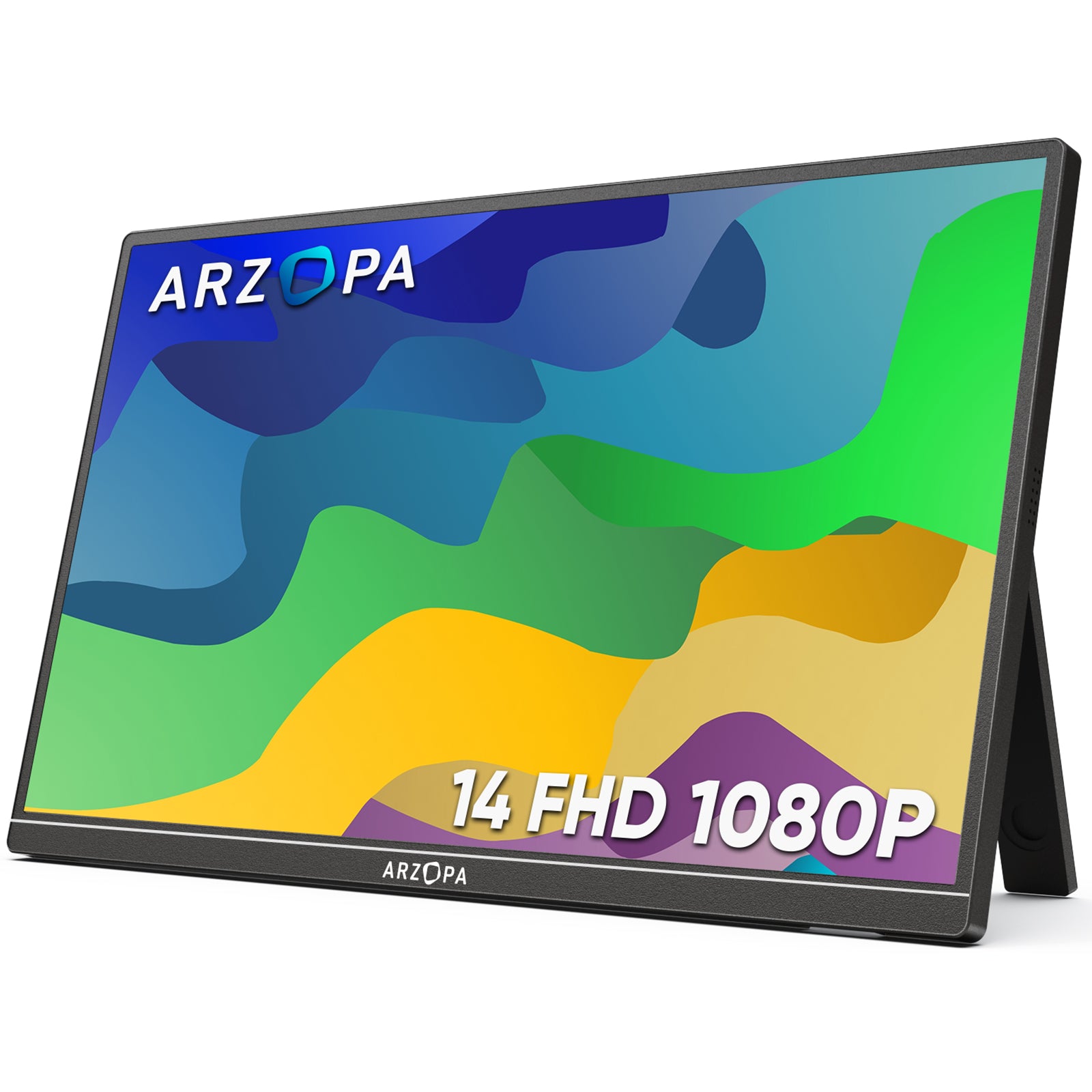
- Slim, Light and Portable,0.16 inches thick and 1.1 ponds in weight. easy to carry for business trip or travelling.
- 14.0" Full HD 1920 x 1080 portable anti-glare IPS display with 60HZ resolution.
- Widely Compatible with a laptop, a PC, a Mac, a smartphone, an Xbox, a PS5, a Switch, a Steam Deck, etc.
- Plug and Play,simply connect with one USB-C cable for video signal and power.
Choosing the Right Screen Size and Aspect Ratio for Your Gaming Setup
Screen size dramatically impacts gaming performance and immersion. For the best gaming monitor size for FPS games, 24-27 inches is ideal—your eyes can track the entire screen without head movement, crucial for spotting enemies quickly.
When comparing 21:9 ultrawide vs 16:9 gaming monitor, ultrawides (34"+) excel at immersive RPGs and racing games, providing 33% more horizontal view. However, competitive FPS players prefer standard 16:9 for focused action.
Optimal viewing distance gaming monitor follows the formula: Screen diagonal × 1.5 = ideal distance. A 27" monitor needs 40 inches (100cm) viewing distance for comfortable gaming.
For portable gaming monitor size recommendations, 13.3-15.6 inches balances portability with usability. Larger 17.3" portables sacrifice packability but offer better visibility for detailed games.
Quick guide: FPS/MOBA = 24-27" (16:9) | RPG/Strategy = 27-32" (16:9) | Racing/Sim = 34" (21:9) | Portable = 15.6" (16:9)
📊 Screen Size & Aspect Ratio Quick Reference
| Size | Aspect Ratio | Best For | Viewing Distance | Portability |
|---|---|---|---|---|
| 24" | 16:9 | Competitive FPS | 36" (90cm) | ⭐⭐☆☆☆ |
| 27" | 16:9 | All-around gaming | 40" (100cm) | ⭐☆☆☆☆ |
| 32" | 16:9 | Console/RPG | 48" (120cm) | ⭐☆☆☆☆ |
| 34" | 21:9 | Racing/Immersive | 40" (100cm) | ⭐☆☆☆☆ |
| 49" | 32:9 | Simulation/Multi-task | 48" (120cm) | ⭐☆☆☆☆ |
| 13.3" | 16:9 | Ultra-portable | 20" (50cm) | ⭐⭐⭐⭐⭐ |
| 15.6" | 16:9 | Portable gaming | 24" (60cm) | ⭐⭐⭐⭐☆ |
| 17.3" | 16:9 | Desktop replacement | 26" (65cm) | ⭐⭐⭐☆☆ |
Factor 4: Connectivity Options for Seamless Gaming Experience
Connectivity options are crucial for ensuring a smooth gaming experience with a portable gaming monitor. A variety of ports, such as HDMI, USB-C, DisplayPort, and USB-A, are essential to accommodate different devices and peripherals.
HDMI is a widely used port that allows you to connect your monitor to your gaming console or computer, offering high-quality visuals and compatibility with most devices. USB-C is a versatile port that can be used for both data transfer and power delivery, offering faster data transfer speeds and the ability to charge devices. DisplayPort is a digital video interface that offers higher bandwidth and resolution than HDMI, making it ideal for gamers who require high-quality visuals and want to connect multiple devices to their monitor. USB-A ports are essential for connecting peripherals such as keyboards, mice, and controllers.
Each of these ports plays a critical role in ensuring seamless connectivity with your devices. By having multiple HDMI ports, USB-C, DisplayPort, and USB-A ports, you can enjoy a smooth gaming experience without any interruptions.
HDR Gaming Monitors: HDR10 vs HDR400 vs HDR1000 Standards Explained
Not all HDR is equal. When following an HDR gaming monitor buying guide, understanding VESA DisplayHDR certifications is essential. DisplayHDR 400 vs 600 vs 1000 differs dramatically—HDR400 offers only 400 nits with no local dimming (barely better than SDR), while HDR1000 delivers 1000+ nits with hundreds of dimming zones for the true HDR gaming experience requirements.
For genuine impact, prioritize peak brightness gaming monitor HDR above 600 nits with at least 32 dimming zones. Console gamers need HDR10 support for PS5/Xbox Series X HDR best configuration—enable Auto HDR in system settings and use Game Mode. Reality check: Most sub-$400 "HDR" monitors are marketing fluff. True HDR starts at HDR600 minimum.
📊 HDR Standards Comparison Table
| Certification | Peak Brightness | Black Level | Local Dimming | Color Depth | Real Impact | Price Range | SDR (Standard) | 250-350 nits | >0.3 nit | None | 8-bit | Baseline | $150-$300 |
|---|---|---|---|---|---|---|
| HDR400 | 400 nits | >0.4 nit | Optional | 8-bit+FRC | Minimal ⭐☆☆☆☆ | $250-$400 |
| HDR500 | 500 nits | >0.1 nit | Optional | 10-bit | Slight ⭐⭐☆☆☆ | $350-$500 |
| HDR600 | 600 nits | >0.1 nit | Required (32+ zones) | 10-bit | Noticeable ⭐⭐⭐☆☆ | $500-$700 |
| HDR1000 | 1000 nits | >0.05 nit | Required (384+ zones) | 10-bit | Excellent ⭐⭐⭐⭐☆ | $800-$1,500 |
| HDR1400 | 1400 nits | <0.02 nit | Required (576+ zones) | 10-bit | Outstanding ⭐⭐⭐⭐⭐ | $1,500+ |
Factor 5: Battery Life and Power Efficiency
Battery life and power efficiency are crucial factors to consider when choosing the best portable gaming monitor. The battery life of these monitors can vary significantly depending on the model and usage. For instance, the Arzopa Z1FC 144Hz Portable Gaming Monitor can last up to 5 hours on a single charge, while the ASUS ROG Strix 17.3" 1080P Portable Gaming Monitor (XG17AHPE) has a high-capacity 7800mAh battery that can support up to 3.5 hours of use at 240Hz gaming. Some monitors can run for 2-3 hours on a single charge, offering truly untethered use.
Power delivery is another important feature, allowing you to charge your devices while gaming. This can be especially useful for gamers who need to keep their devices powered up during long gaming sessions. The Steam Deck, for example, can power an external portable monitor through its Power Delivery port, although it may not provide a full charge due to the monitor's power consumption. Other monitors may have specific power delivery ports or USB-C hubs that enable charging while in use.
When choosing a portable gaming monitor, look for models with extended battery life (ideally 4-6 hours) and power delivery capabilities to ensure you can game on the go without worrying about running out of power.
If you are selecting a portable monitor without internal battery, it recommended Arzopa Z1FC 144Hz Portable Gaming Monitor, which supports PS5, Xbox, Switch, Steam Deck, PCs, phone, and more.Arzopa Z1FC 144Hz Portable Gaming Monitor 16.1" Screen

- 16.1 Inch Full HD (1920x1080p) IPS with a premium aluminum design.
- 1.7 lb weight and 0.3-inch thickness make it ideal for on-the-go use.
- Supports PS5, Xbox, Switch, Steam Deck, PCs, phone, and more.
- Includes a built-in stand for both portrait and landscape viewing.
Factor 6: Gaming-Specific Features: Adaptive Sync and Built-in Speakers
The best portable gaming monitor must incorporate gaming-specific features that enhance the overall gaming experience, such as Adaptive Sync and built-in speakers.
Adaptive Sync, also known as G-SYNC or FreeSync, is a technology designed to eliminate screen tearing and stuttering in gaming by synchronizing the monitor's refresh rate with the graphics card's frame rate. This results in smoother and more responsive gameplay, reduced eye strain, and improved overall performance. The benefits of Adaptive Sync for portable monitors include reduced screen tearing.

Built-in speakers are another valuable feature for portable gaming monitors. While external speakers or headphones are often preferred, built-in speakers can still provide a good audio experience, offering convenience, space-saving, and good audio quality. Some notable portable gaming monitors with built-in speakers include the ASUS ROG Strix XG17AHPE, Acer Predator CG437K, and BenQ PD2700U.
A portable gaming monitor with Adaptive Sync and built-in speakers can significantly enhance the gaming experience, ensuring a smoother, more immersive, and more convenient gaming experience.
Gaming Console Compatibility: Best Monitors for PS5, Xbox Series X, and Nintendo Switch
Choosing the best portable gaming monitor for PS5 requires specific hardware support. Xbox Series X monitor requirements include HDMI 2.1 for 4K 120Hz gaming, VRR (Variable Refresh Rate), and ALLM (Auto Low Latency Mode). Without HDMI 2.1, you're limited to 4K 60Hz, missing next-gen performance benefits.
For Nintendo Switch OLED external monitor setup, prioritize USB-C Power Delivery or HDMI compatibility. The Switch outputs maximum 1080p 60Hz, so high refresh rates are unnecessary. Focus on color accuracy and portable form factors (13-15.6 inches) instead. Use this gaming console monitor compatibility guide: verify HDCP 2.2 support for streaming apps and HDR10 for enhanced visuals.
| Feature | PS5 | Xbox Series X | Nintendo Switch | Steam Deck |
|---|---|---|---|---|
| Max Resolution | 4K (3840×2160) | 4K (3840×2160) | 1080p (1920×1080) | 1080p |
| Max Refresh Rate | 120Hz | 120Hz | 60Hz | 60Hz |
| HDMI Version | 2.1 required | 2.1 required | 2.0 sufficient | N/A (USB-C) |
| VRR Support | ✅ FreeSync | ✅ FreeSync/G-Sync | ❌ Not supported | ✅ FreeSync |
| HDR Support | ✅ HDR10 | ✅ HDR10, Dolby Vision | ❌ Not supported | ✅ HDR10 |
| ALLM Support | ✅ Yes | ✅ Yes | ❌ No | N/A |
| Ideal Monitor Size | 27-32" / 15.6" | 27-32" | 13.3-15.6" | 15.6-17.3" |
| Recommended Panel | Fast IPS/VA | Fast IPS/Mini-LED | IPS | IPS |
| USB-C Direct | ❌ No | ❌ No | ✅ Yes (limited) | ✅ Yes |
Factor 7: Budget and High-End Options: Compromises and Premium Features
The quest for the best portable gaming monitor often hinges on finding the perfect balance between value and performance. Budget portable gaming monitors, typically priced between $150 and $300, often sacrifice certain features to keep costs low. Common compromises include lower resolutions (1080p or 1440p), lower refresh rates (60Hz), lack of advanced features like G-Sync or FreeSync, lower-quality panels with poorer color accuracy and contrast ratios, and fewer connectivity options.
On the other hand, high-end portable gaming monitors, typically priced between $500 and $1,000, offer a range of premium features that justify their higher cost. These include higher resolutions (4K or QHD), higher refresh rates (144Hz or higher), advanced technologies like G-Sync and FreeSync, advanced panel technology with better color accuracy and contrast ratios, more comprehensive connectivity options, and additional features like HDR support and built-in speakers or audio enhancements.
While budget portable gaming monitors make compromises on features and quality to keep costs low, high-end monitors offer a range of premium features that justify their higher cost. Gamers who value performance, visual fidelity, and advanced features should consider investing in a high-end portable gaming monitor, while those on a tighter budget can still find suitable options among budget monitors.
Top Gaming Monitor Brands Compared: ASUS ROG vs BenQ vs LG vs Arzopa
Understanding best gaming monitor brands 2026 helps narrow your choices. ASUS ROG vs BenQ ZOWIE gaming monitors represents the high-end battleground—ASUS excels in feature-packed premium displays with cutting-edge tech, while BenQ focuses on esports-tuned monitors with professional color accuracy. LG leads in OLED innovation, and reliable portable monitor manufacturers like Arzopa deliver exceptional value.
When comparing gaming monitor warranty comparison, ASUS offers 3 years standard, BenQ provides 3 years with zero-bright-pixel guarantee, LG includes 2-3 years depending on panel type, and Arzopa provides 1-year warranty. Budget brands often limit coverage to 1 year. Extended warranties matter—panel defects can appear after 12-18 months of heavy gaming use.
📊 Brand Positioning & Warranty Comparison
| Brand | Market Position | Price Range | Specialty | Warranty | Dead Pixel Policy | Support Rating |
|---|---|---|---|---|---|---|
| ASUS ROG | Premium Gaming | $400-$2,500 | Cutting-edge tech, RGB | 3 years | 3+ bright pixels | ⭐⭐⭐⭐☆ (4/5) |
| BenQ ZOWIE | Esports Pro | $200-$600 | Tournament-grade, no frills | 3 years | Zero-bright-pixel | ⭐⭐⭐⭐⭐ (5/5) |
| Arzopa | Portable Value | $100-$400 | Best portable $/spec | 1-2 years | Varies by model | ⭐⭐⭐⭐☆ (4/5) |
| LG | OLED Innovation | $300-$3,000 | OLED panels, wide range | 2-3 years | 5+ pixels (LCD) | ⭐⭐⭐⭐☆ (4/5) |
| Samsung | Tech Leader | $250-$2,000 | Quantum Dot, curves | 1-3 years | 7+ pixels | ⭐⭐⭐☆☆ (3/5) |
| Acer Predator | Gaming Value | $200-$1,200 | Aggressive pricing | 3 years | 5+ bright pixels | ⭐⭐⭐☆☆ (3/5) |
| MSI | Mid-Range Gaming | $180-$800 | Good specs/price ratio | 3 years | 3+ pixels | ⭐⭐⭐☆☆ (3/5) |
| ViewSonic | Professional | $150-$800 | Color accuracy | 3 years | 6+ pixels | ⭐⭐⭐⭐☆ (4/5) |
| ASUS ZenScreen | Premium Portable | $200-$500 | Build quality, features | 3 years | 3+ bright pixels | ⭐⭐⭐⭐☆ (4/5) |
| Generic/Amazon | Budget | $80-$200 | Rock-bottom prices | 1 year | Often none | ⭐⭐☆☆☆ (2/5 |
User Reviews and Testing
User reviews and rigorous testing are essential to ensure that the chosen portable gaming monitor meets the required standards for gaming. Real users with hands-on experience can provide invaluable insights into the monitor's performance, including rating distribution, gaming performance, portability, and build quality.
Rigorous tests to consider before making a purchase include response time tests, refresh rate tests, color accuracy tests, viewing angle tests, and HDR support tests. A response time of 5ms or lower is ideal for fast-paced games, while a higher refresh rate (144Hz or higher) is recommended for smooth motion. High color accuracy (Delta-E < 2) ensures vivid and lifelike colors and a wide viewing angle (178°/178°) ensures consistent colors and contrast even when viewed from the side. If you plan to play HDR-enabled games, ensure the monitor supports HDR10 or HDR10+ for enhanced color and contrast.
By considering both user reviews and rigorous testing, you can make an informed decision when selecting the best portable gaming monitor for your gaming needs.
Conclusion
Choosing the best portable gaming monitor requires careful consideration of various factors, including display quality, performance, portability, connectivity, battery life, gaming-specific features, budget, and user reviews. By addressing these key factors, you'll be well-equipped to navigate the world of portable gaming monitors and find the one that perfectly suits your gaming lifestyle. We hope this comprehensive guide has given you valuable insights into the portable gaming monitor. If you have any further questions or would like to share your experiences with these innovative devices, please leave a comment below. Don't forget to share this article with your friends and colleagues who may want to purchase a best portable gaming monitor for PS5. Happy browsing!




